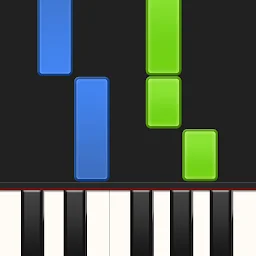
About This App
Synthesia helps users learn piano by playing songs visually, even without sheet music knowledge. It offers an interactive way to practice melodies, making learning accessible and engaging for aspiring pianists.
How to Install
To install, find the download button or link on this page. Follow the on-screen instructions on your device to complete the download and installation process. Once installed, open the app and follow any initial setup prompts.
Why Choose
Learn piano melodies
Play along with songs visually, letting the app guide you to hit the correct notes. This approach aids in learning and practicing melodies effectively.
Use your keyboard
Connect your digital piano or use your device's touchscreen to play. This offers flexibility in how you interact with the music.
Practice independently
Engage in Melody Practice mode where the app waits for the correct note. This allows for focused, self-paced learning of songs.
Is It Right for You?
Choose It If
- You want to play piano
- You prefer visual learning
- You have a MIDI keyboard
Think Twice If
- You need advanced theory
- You dislike interactive learning
Good to Know First
- A one-time purchase unlocks all songs and features.
- The free version includes over 20 songs for exploration.
- Compatible with most lighted keyboards.
The Bottom Line
This app is well-suited for those wanting to learn piano visually or with a digital keyboard. Its interactive approach to playing songs offers a practical learning experience for many users.